What is Shallow Branching?
Shallow branching is a type of scenario-based e-learning design where learners make decisions at key points, but the overall course path remains linear. Each decision provides feedback, but does not alter the learner’s journey through the course.
Key Characteristics:
- Linear progression: All users follow the same sequence of scenes.
- Decision points: Typically offer three choices (positive, negative, neutral).
- Feedback: Tailored to the choice made, but does not change the next scene.
- Commonly used in mandatory training and scenario-based assessments.
How to Use Shallow Branching in Content AIQ
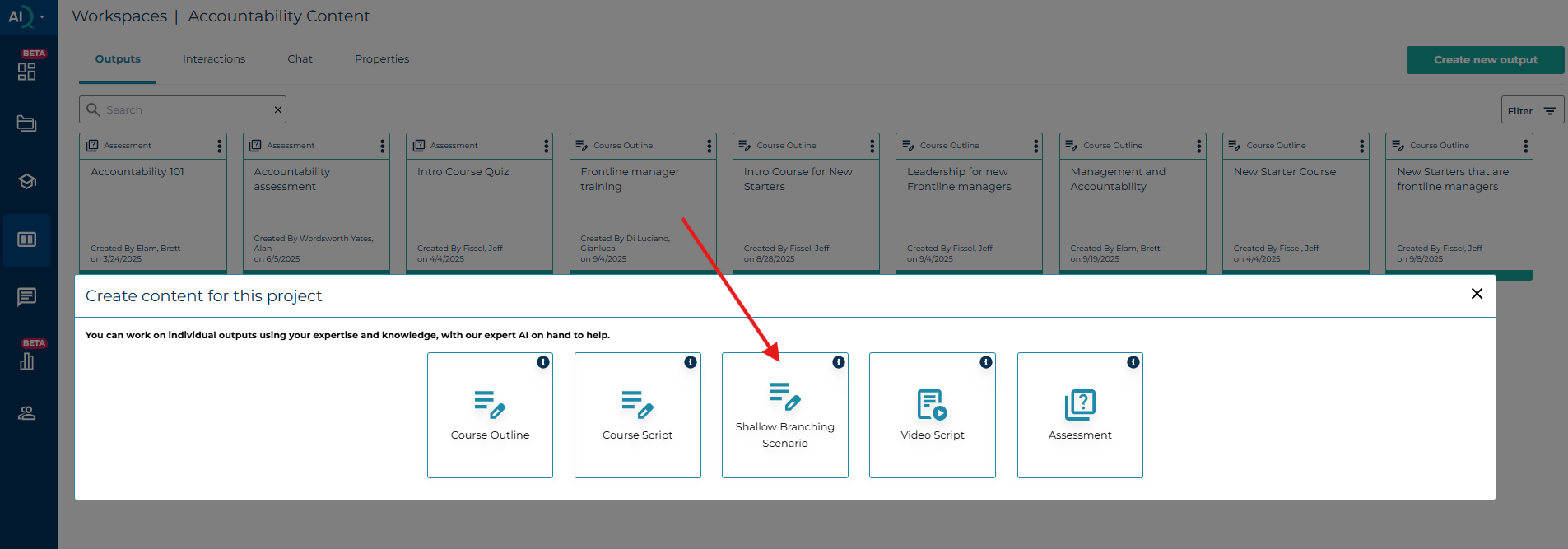
Step 1: Create a New Output
- Navigate to your workspace in Content AIQ.
- Select “Create Output” and choose “Shallow Branching” as the output type.
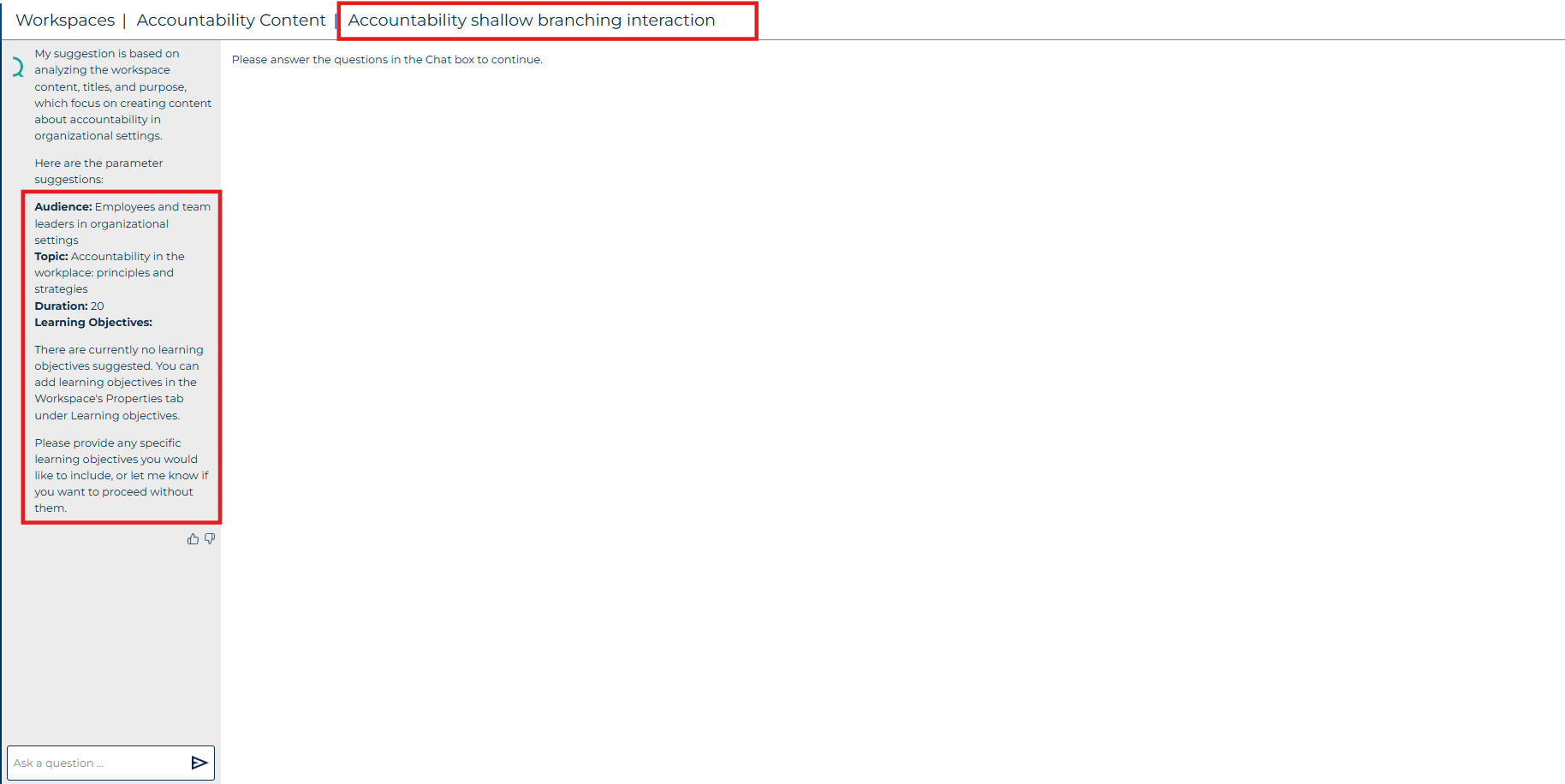
Step 2: Define Metadata
- Title: This is used by AI to infer context.
- Audience: Define who the content is for.
- Topic: Usually matches the title.
- Learning Objectives: Add manually or use AI-generated suggestions.
Step 3: Build Scenes
Each scene includes:
- Character: e.g., Alex, a team manager.
- Scenario: A challenge or situation the character faces.
- Decision Points: Three options (positive, negative, neutral).
- Feedback: Unique feedback for each choice.
Step 4: Add Additional Scenes
- You can add multiple scenes to build a longer learning journey.
- Each scene follows the same structure: scenario → decision → feedback.
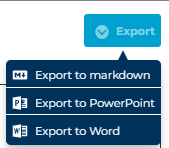
Export Options
- Outputs can be exported in Markdown, PowerPoint, or Word formats.
Tips & Troubleshooting
- Use AI tools like Copilot to rewrite scripts or generate learning objectives.
Best Practices
- Keep scenarios realistic and relevant to your audience.
- Use clear, concise language for decision options and feedback.
- Test your output to ensure feedback aligns with learning objectives.
Was this article helpful?
That’s Great!
Thank you for your feedback
Sorry! We couldn't be helpful
Thank you for your feedback
Feedback sent
We appreciate your effort and will try to fix the article