Outputs allow you to quickly and easily create content, making use of templates designed by our experts, ensuring a consistent and high-quality output every time. To create and manage your outputs, select a Workspace:
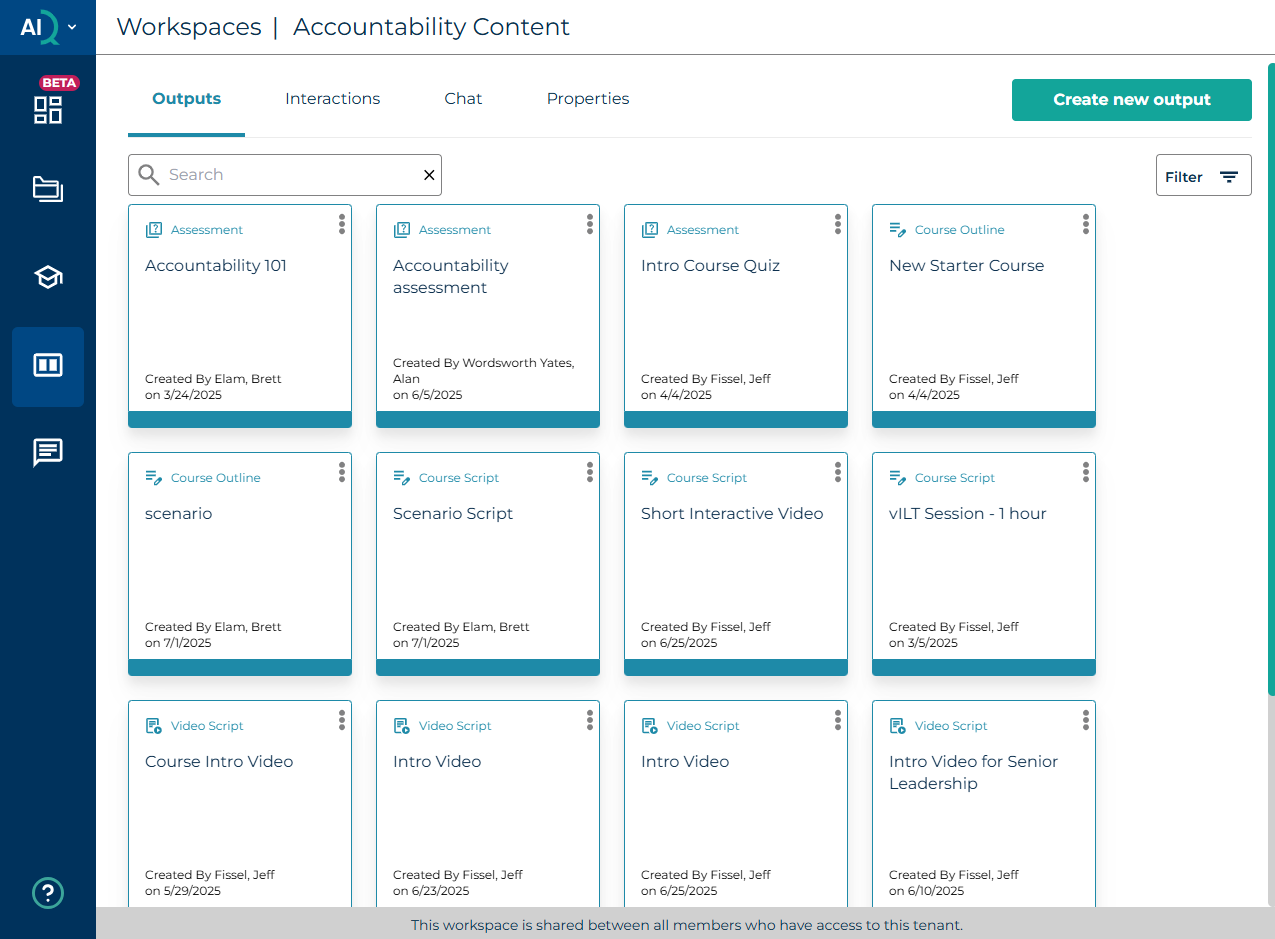
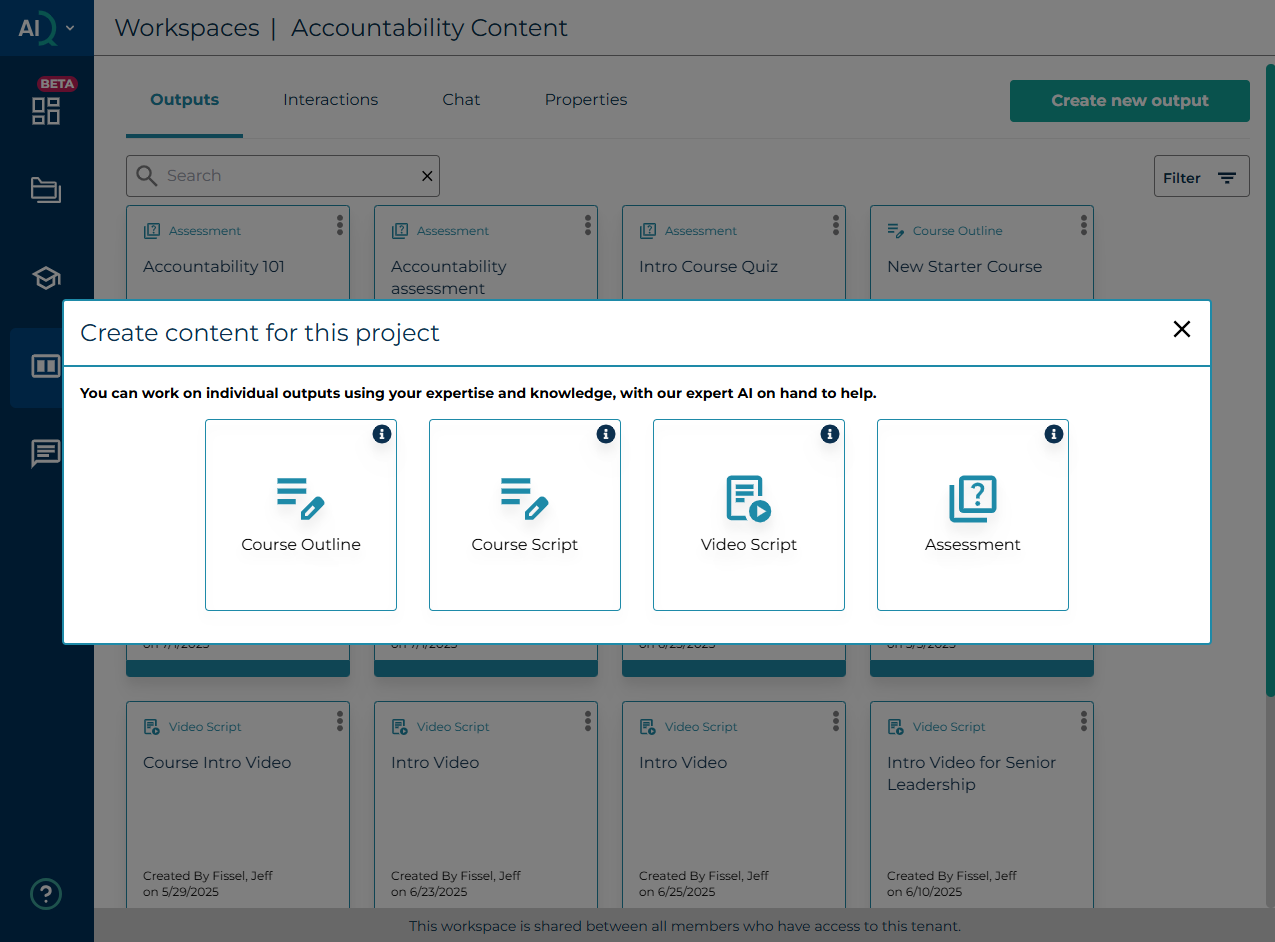
The first tab that appears when you open the new Workspace is the Outputs tab. Content AIQ provides several output agents, which enable you to create different types of learning content. There are initially four of these, but this number is expected to grow rapidly, and they will all work in a similar way.
The Output agents consist of a set of embedded rules and inputs that guide you towards getting specific outputs.
These build in learning expertise, for example by requiring you to enter the information that will generate a good quality output (depending on the inputs you have provided). The output agents also build in best practice rule and pre-formatted layouts for the outputs.
There is also an AI chat function, which allows you to create many more types of output.
You can then select from a list of predefined outputs. Should you not see an output for the content you need to create, you can also create these through the Chat interface using prompts.
Was this article helpful?
That’s Great!
Thank you for your feedback
Sorry! We couldn't be helpful
Thank you for your feedback
Feedback sent
We appreciate your effort and will try to fix the article