The video script output agent is like the other output agents and works in the same way, but this output agent requires you to enter more parameters. As before – select the agent – in this case Video Script.
The video output requires more parameters to be specified. This will help you if, for example you are creating a script for an AI driven synthetic media generator. For example, specifying a single narrator will generate content that is likely to be suitable for importing to tools like Synthesia and Collossyan. We are also developing API connectors to some of these tools, so if you also have a license to create AI video, contact the support team to install / enable the API.
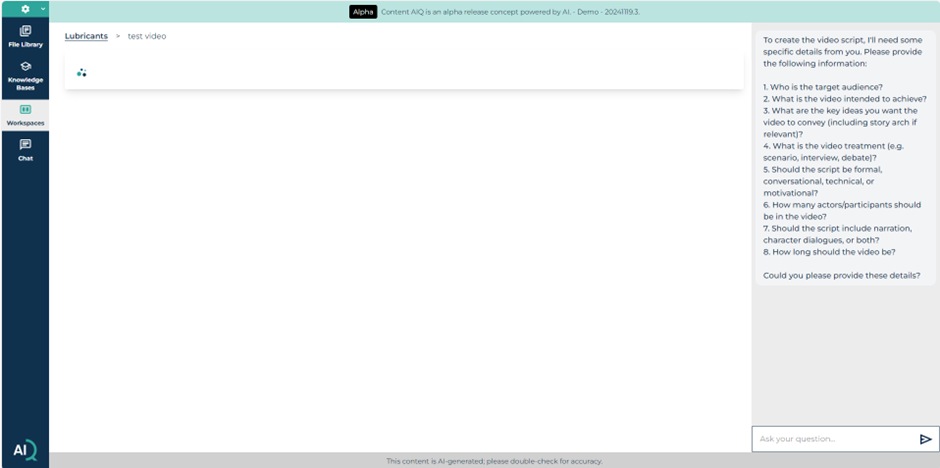
Of course you can specify more intricate videos, with multiple characters and dialogue, which might be more suitable for a traditional video shoot.
The output will be generated as an overview description, followed by the generated script, with estimated time codes, characters, direction and dialogue / narration, which you can use to brief actors, video crews or your favourite AI video generation tool.
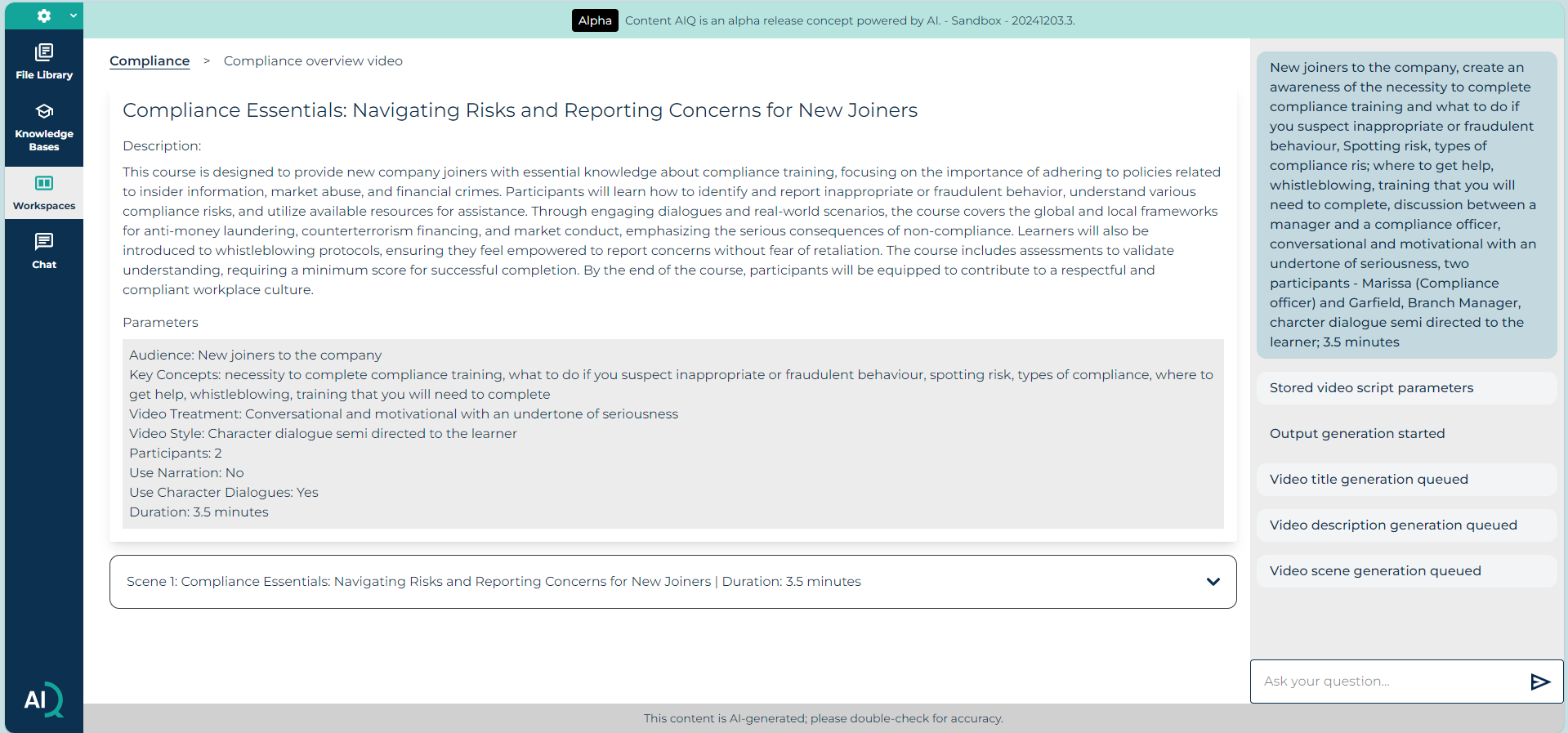
As with the script summary output, the video script may extend over many screens, so copy it into your preferred output format and / or refine it within the prompt dialogue box.
Was this article helpful?
That’s Great!
Thank you for your feedback
Sorry! We couldn't be helpful
Thank you for your feedback
Feedback sent
We appreciate your effort and will try to fix the article