The File Library contains all the source files you have uploaded. To organise and work with these inputs, it is helpful to categorise these into Knowledge Bases. This allows you to organise content into subjects for detailed analysis and content creation.
These Knowledge Bases are then used in the Workspaces area of the tool. Knowledge bases enable you to create, edit, validate and maintain high-quality, accurate data. Keeping your knowledge bases up-to-date minimizes the risk of creating outdated and inconsistent content.
Create a new Knowledge Base (Short video tutorial)
Create a new Knowledge Base
To create a new Knowledge Base, select the Create new Knowledge Base button.
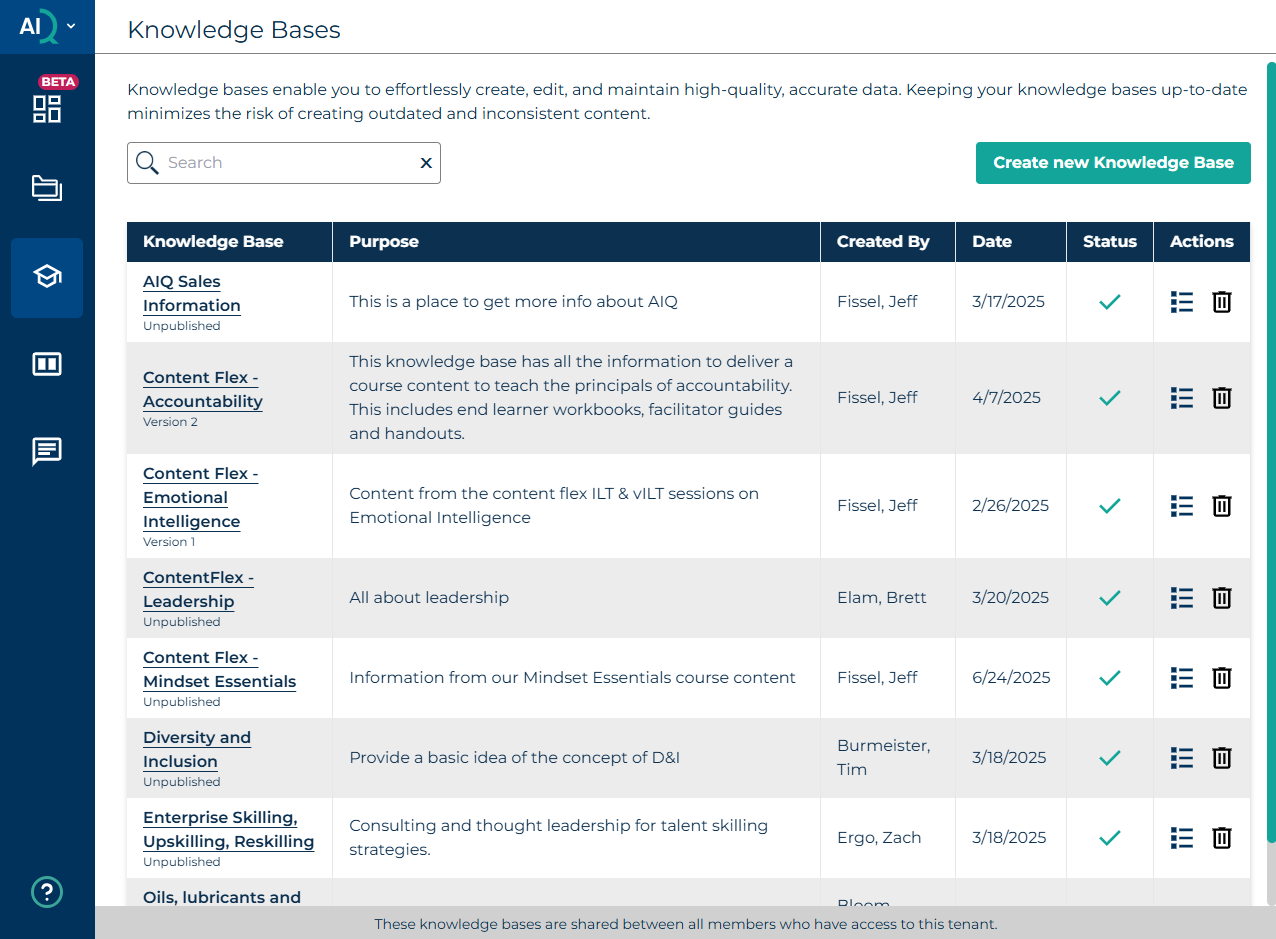
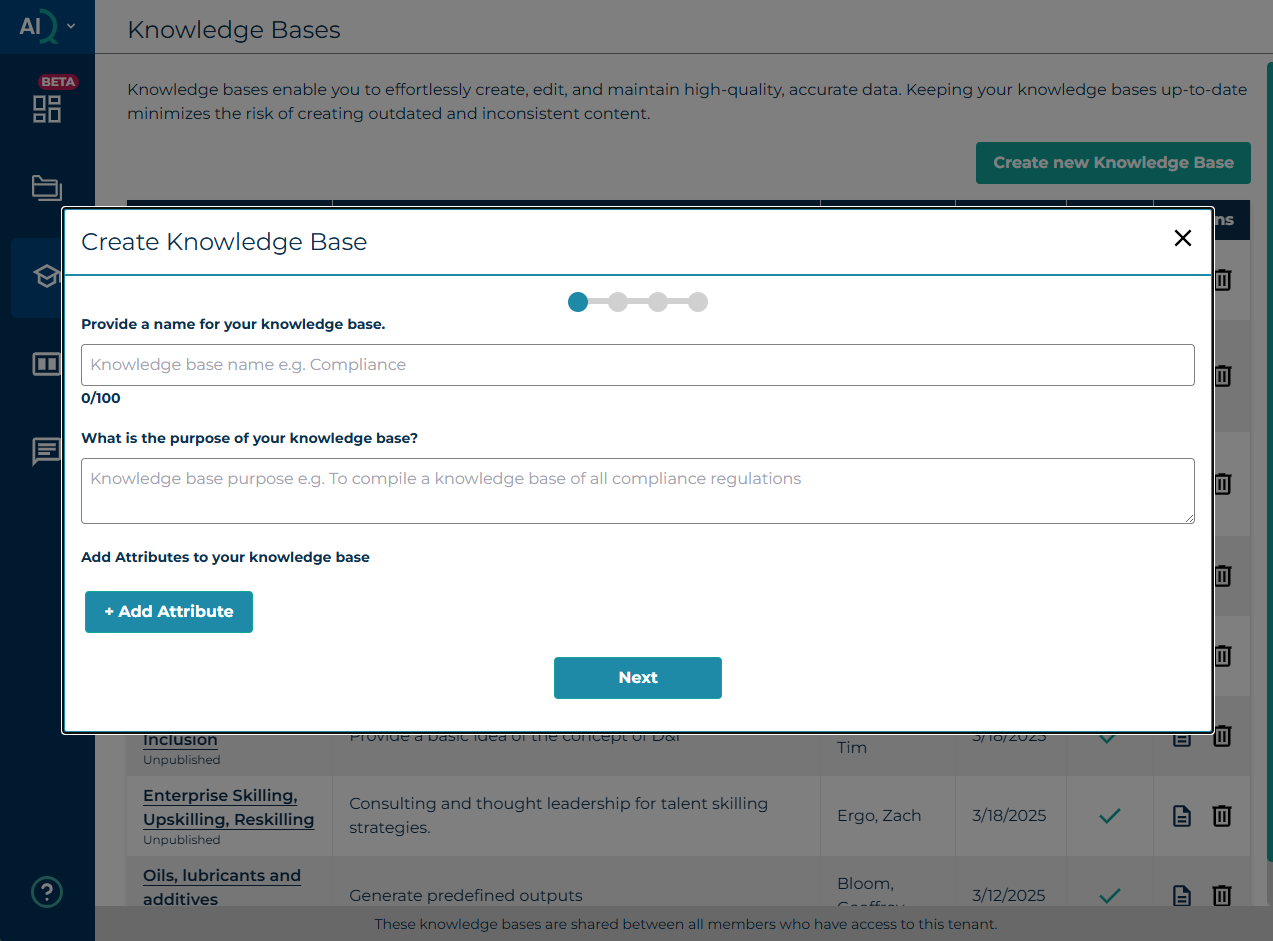
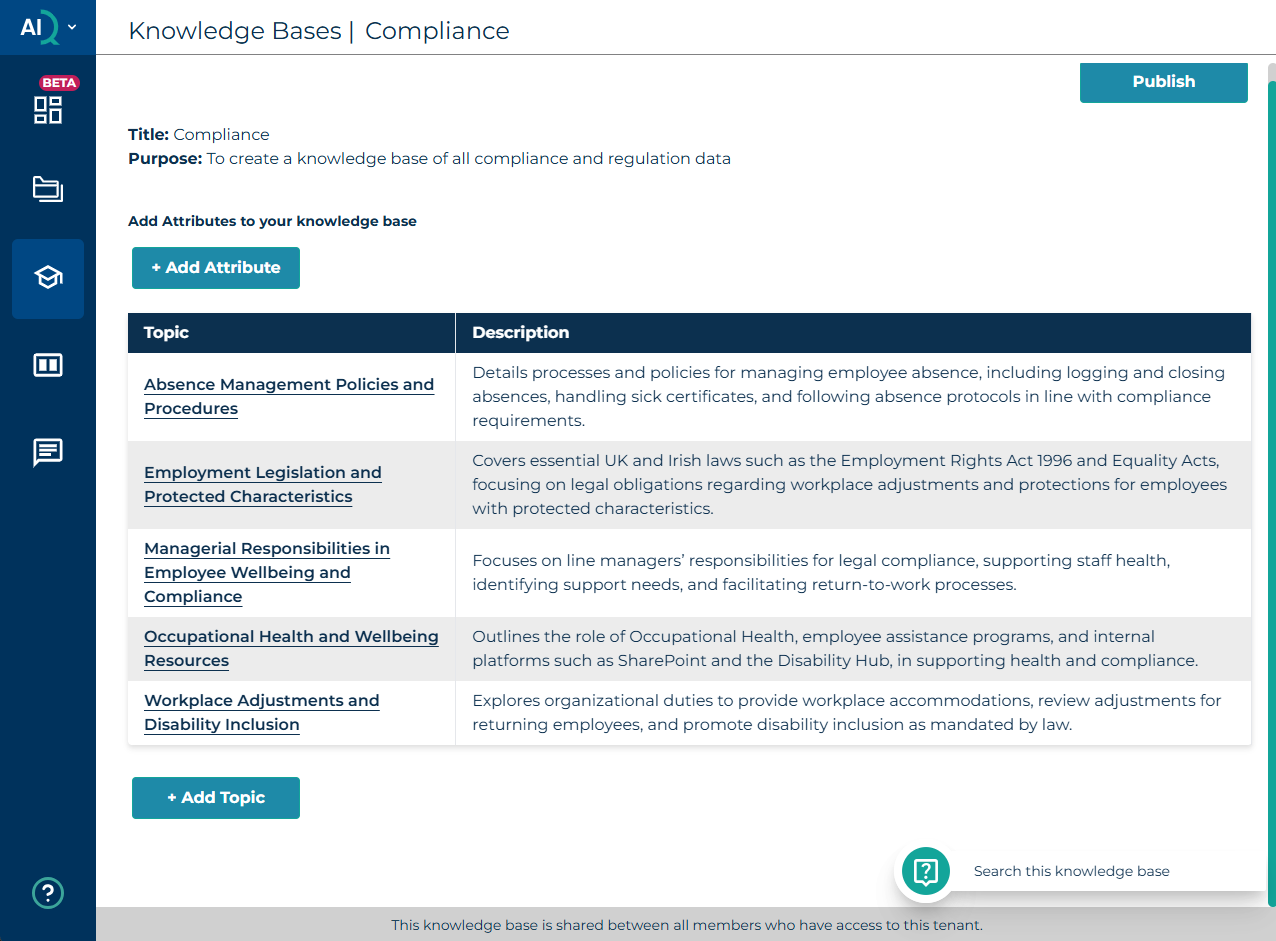
Give the knowledge base a meaningful name that will be understood by other members of your team, e.g. Compliance. Add the purpose of your knowledge base, e.g. "To create a knowledge base of all compliance and regulation data". Attributes are an easy to manage format for facts within a knowledge base that can be fact checked and validated, e.g. dates. If you have any of these you can add them via the Add Attribute button.
The basis of a knowledge base is that you only have one per particular learning need, which you keep maintained. For example, you'll have a compliance knowledge base and create your compliance outputs. Next year there is a new compliance regulation. You update your existing knowledge base, then go to your outputs, and then you can decide if you want to update (Regenerate) an existing output or not. This ensures you don't have to recreate things every time something changes.
Add all the files relevant to your knowledge base from the File Library. These can consist of old courses, legislative documents, transcripts of meetings held with subject matter experts etc.
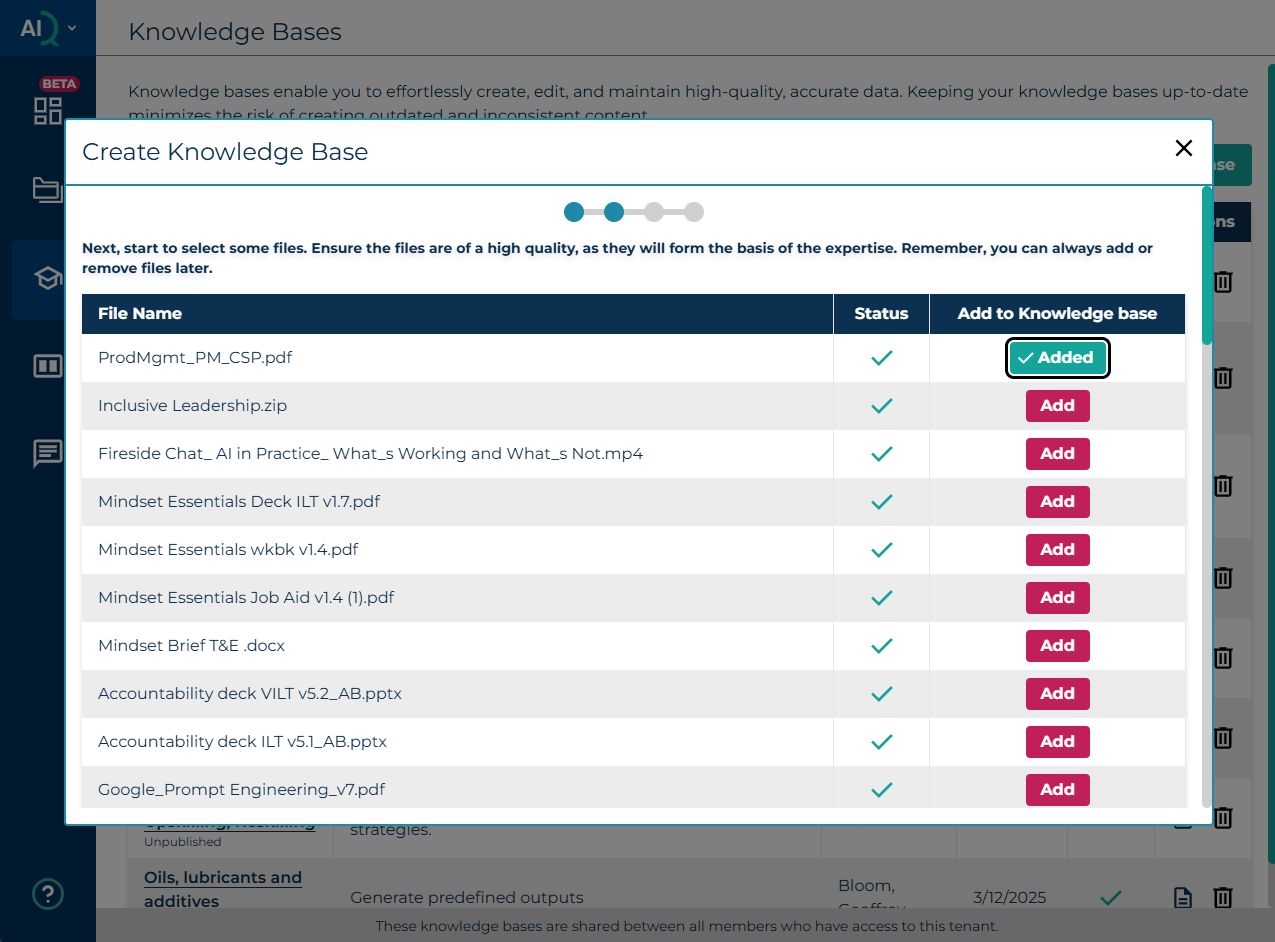
Once you have selected the files you want to add to the knowledge base, select Next button.
This screen allows you to confirm the files you have selected:
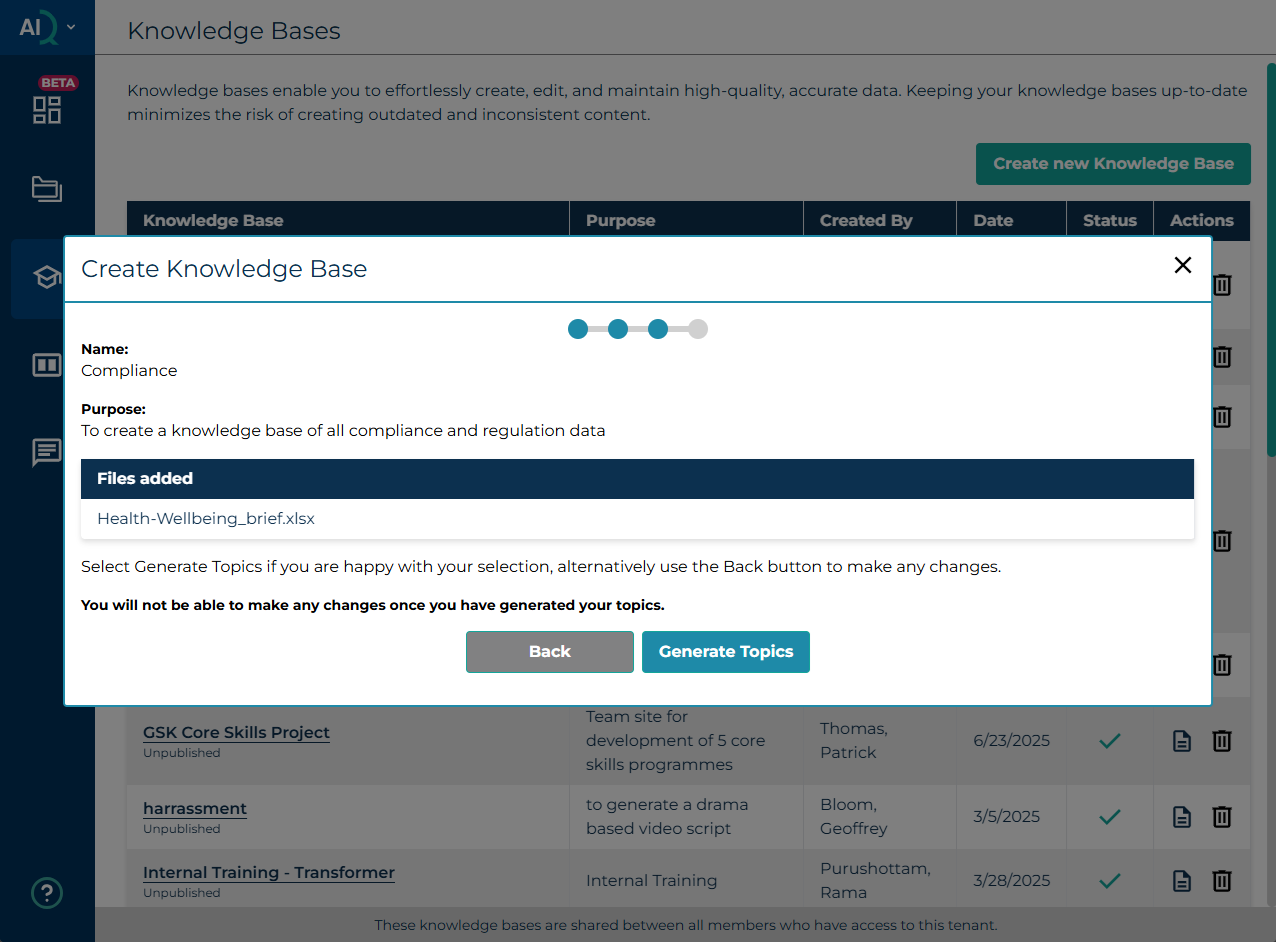
Confirm your selection and generate the topics for your knowledge base. Select Generate Topics (or Back to add more files). Once you have done a final review and are happy with your selection, select Generate Topics.
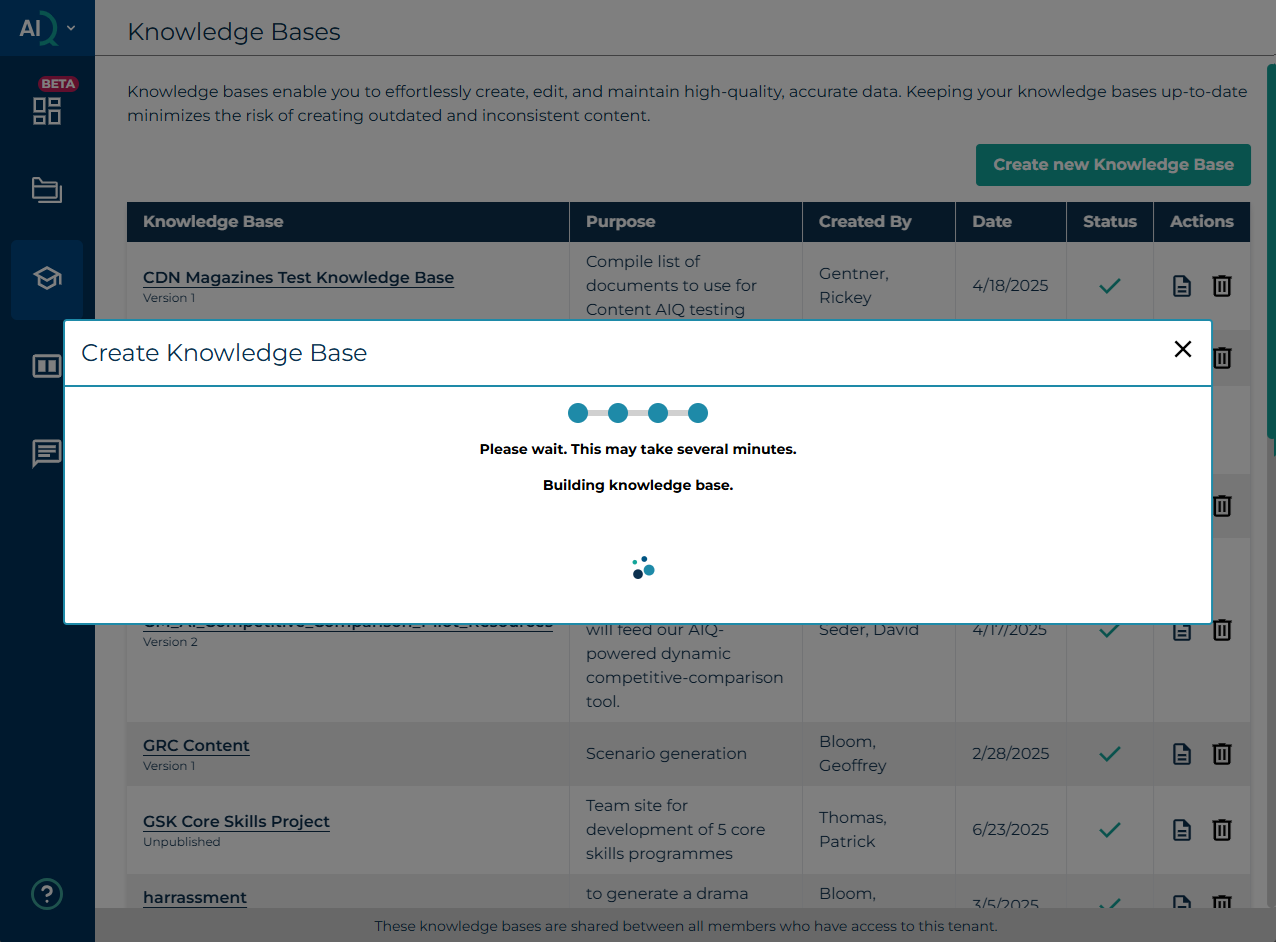
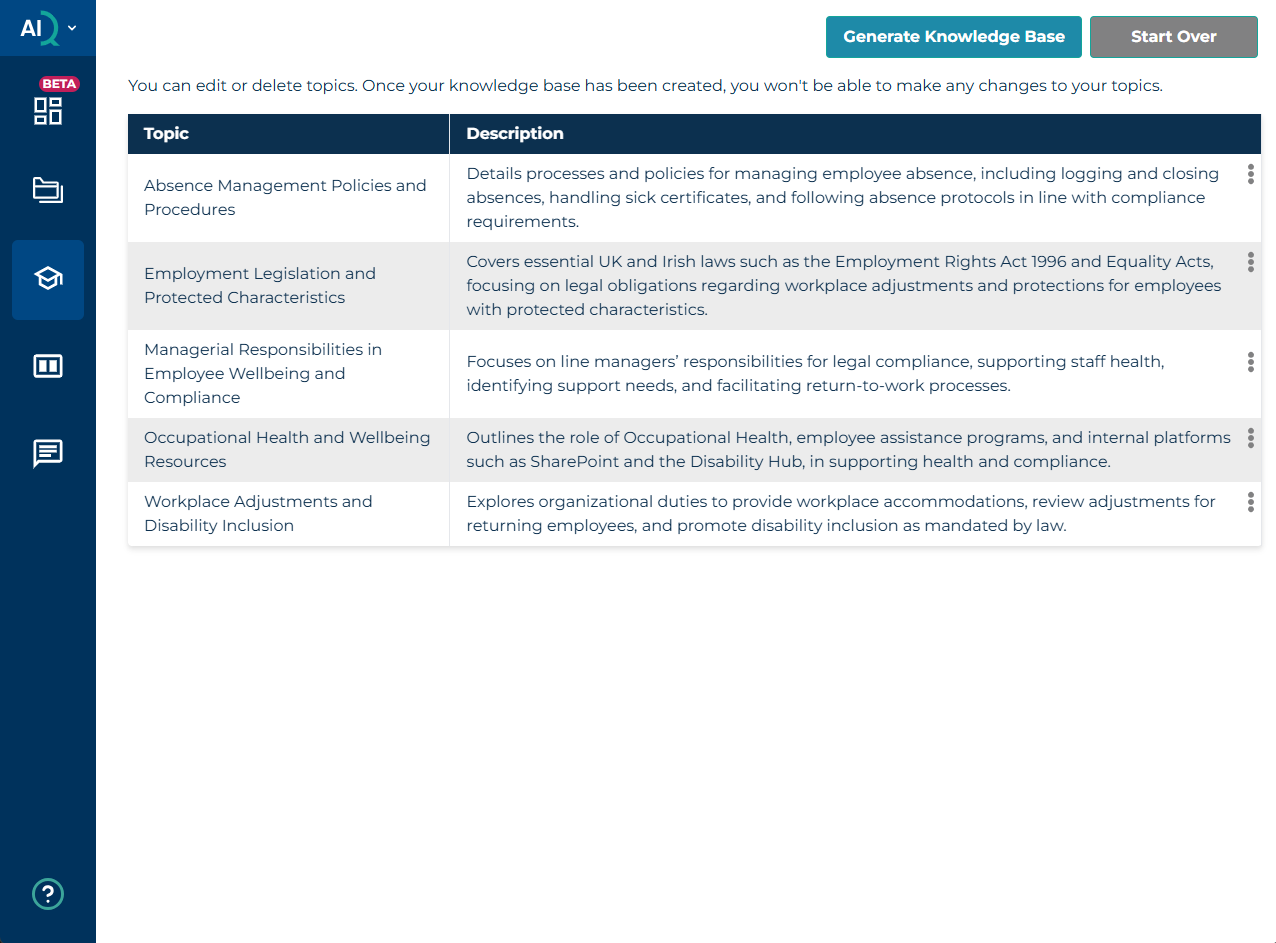
In the first instance, AIQ will create a suggested topic structure and descriptions. It is important to carefully review the topics and descriptions and make any amendments (if needed) as this will be used to create the content of your knowledge base. The output generated is extremely useful in the content analysis stage of learning design. Depending on how may files you select, and the types of files selected, this may take several minutes to process.
Once you are happy with the topics and descriptions, select ‘Generate Knowledge Base’ to complete the process.
If you decide to delete a topic you will receive a warning before you delete it. Once your knowledge base has been created, you are able to review the content and make final adjustments to ensure your content is 100% accurate. Generating a Knowledge base usually takes a few minutes.
Important: Wait until the Status has updated to ready (blue tick), before you access, otherwise the process will be interrupted and the knowledge base will be incomplete.
Note – this is a very useful planning view of the content as it helps you to decide what content to include in specific learning outputs. This screen shows the main topics in the knowledge base.
Once the Knowledge base has been generated, you are able to delete individual topics from the Knowledge base by selecting the three dots next to the topic you want to remove, followed by 'Delete'.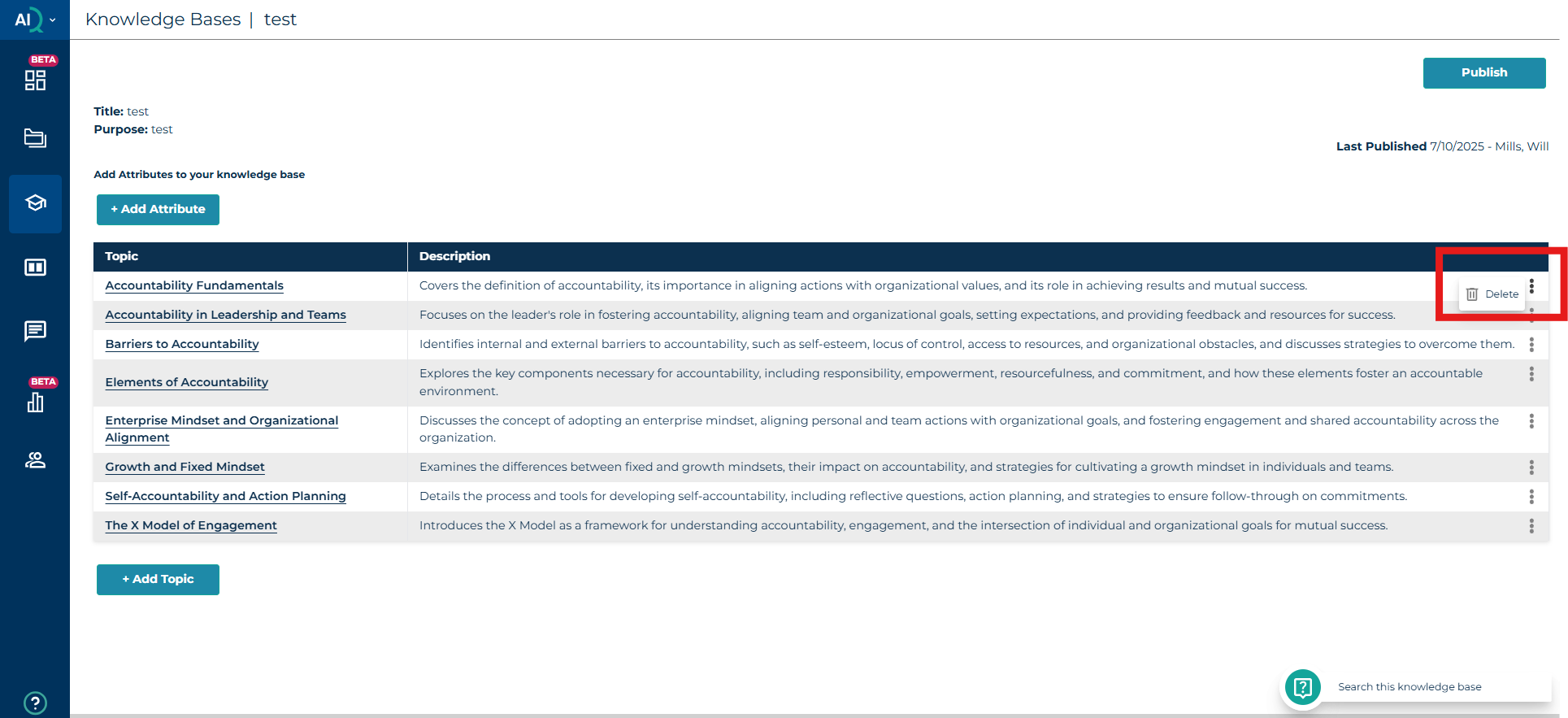
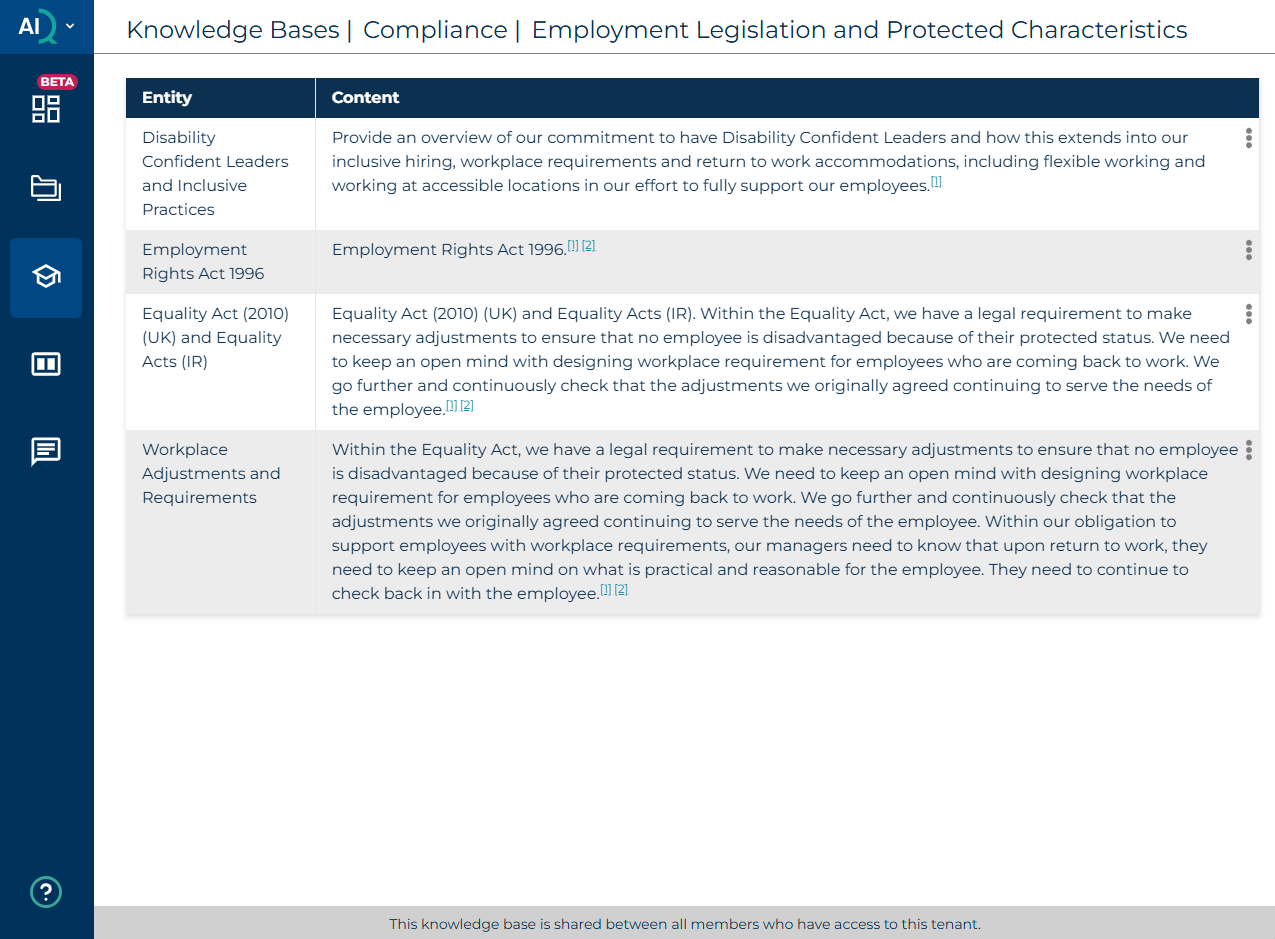
If you select each topic within the knowledge base, the next level shows the sub topics and descriptions for each topic:
Was this article helpful?
That’s Great!
Thank you for your feedback
Sorry! We couldn't be helpful
Thank you for your feedback
Feedback sent
We appreciate your effort and will try to fix the article