In Content AIQ, we can create chatbot interactions within a Workspace. These interactions can integrate with external systems, such as LMSs.
Instructions
STEP ONE
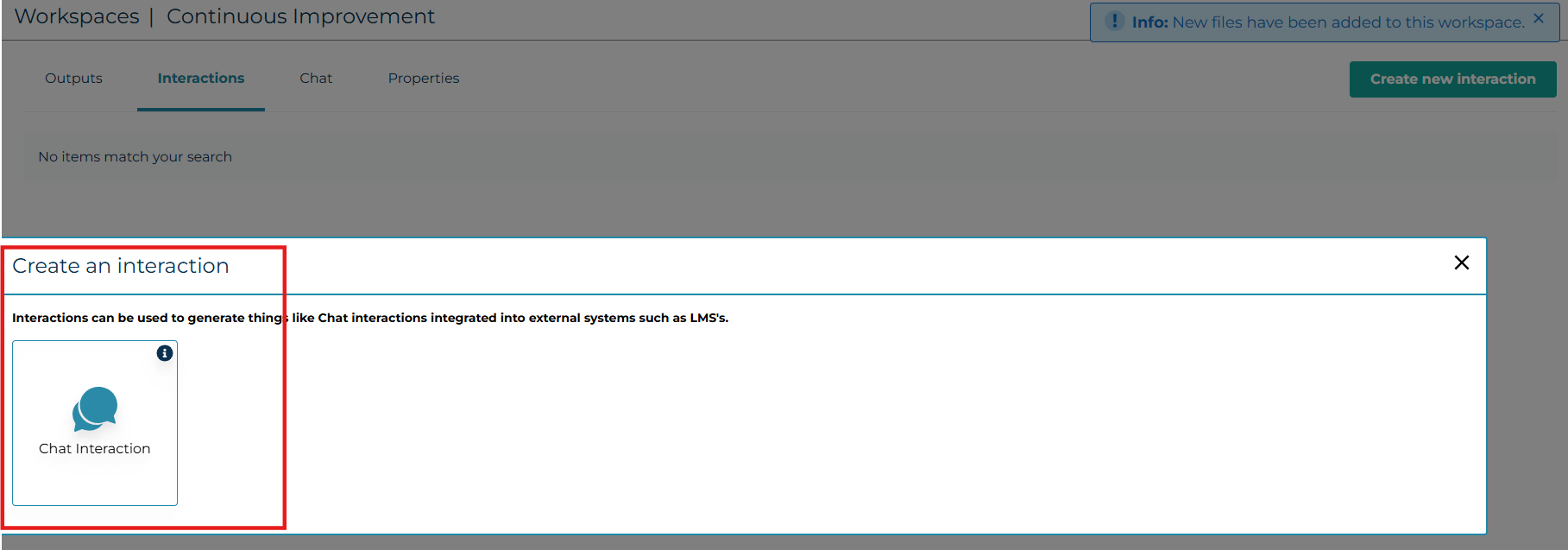
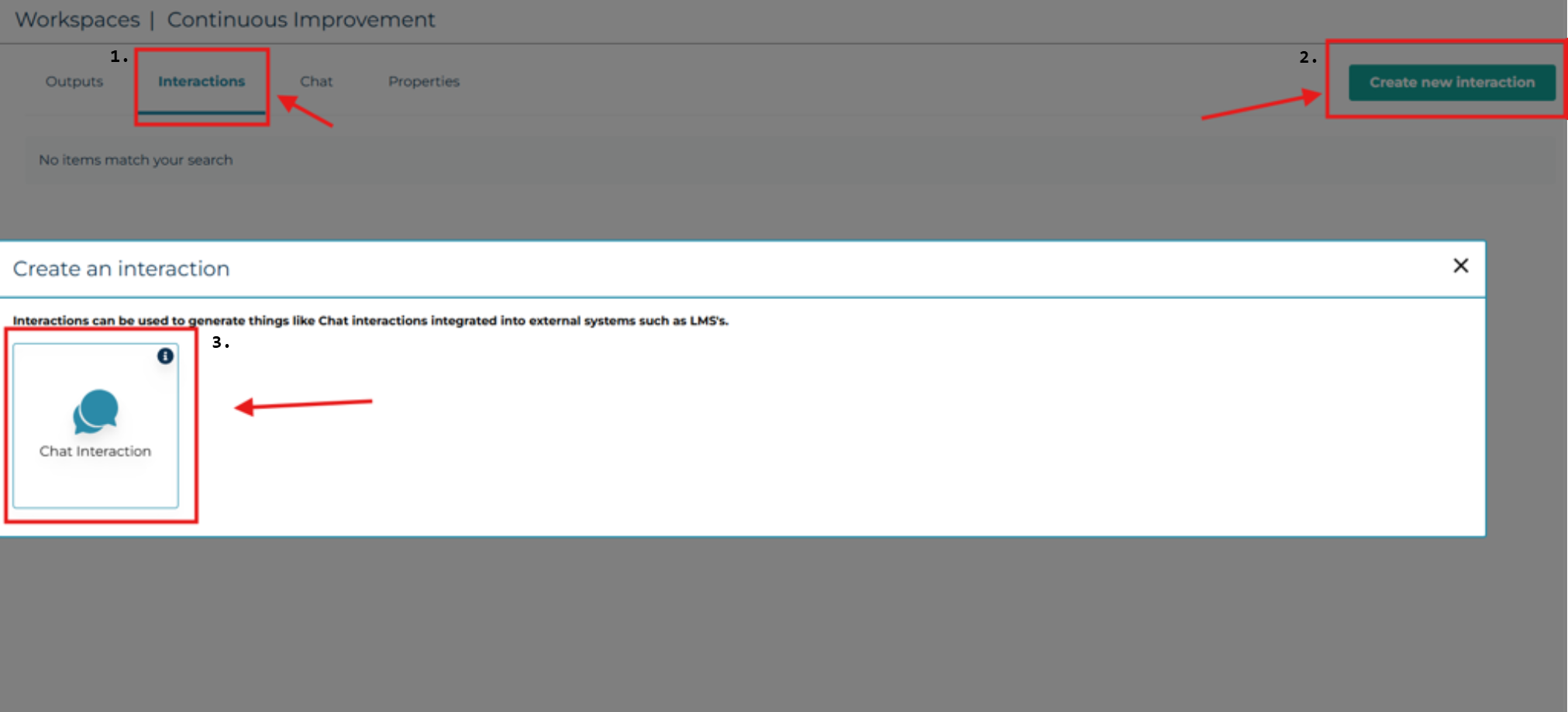
After creating a Workspace with the desired content files and connected Knowledge bases, select your Workspace, then click on ‘Interactions’, followed by the ‘Create new interaction’ button, and choose ‘Chat Interaction’.
STEP TWO
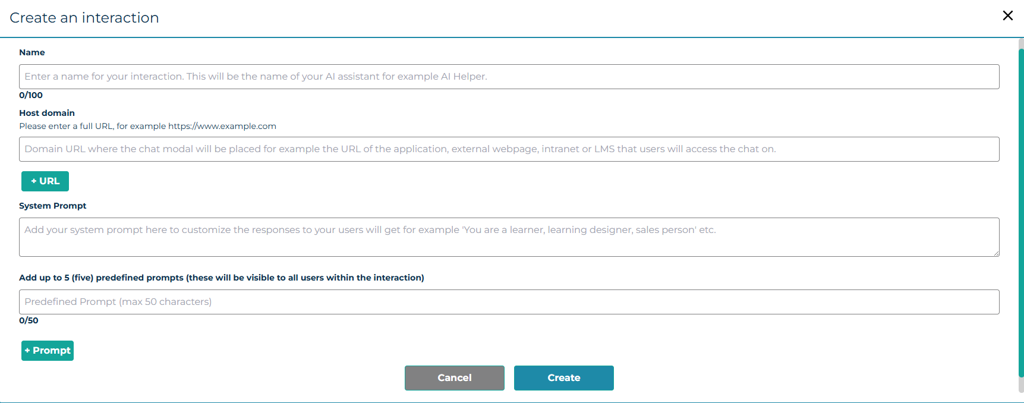
Here’s where you can add the details of the AI assistant you will be creating.
The Host domain is where the user adds the URL of the page hosting this chat via iFrame.
The System Prompt lets you define the chat's purpose for the AI system. For instance, it can be a sales representative to assist with product sales or a learning coach who specialises in a specific subject.
Predefined prompts are optional but enable users to quickly select common questions without typing.
Press ‘Create’ once the details have been filled out. Note, these details can be added and edited after creation.
STEP THREE
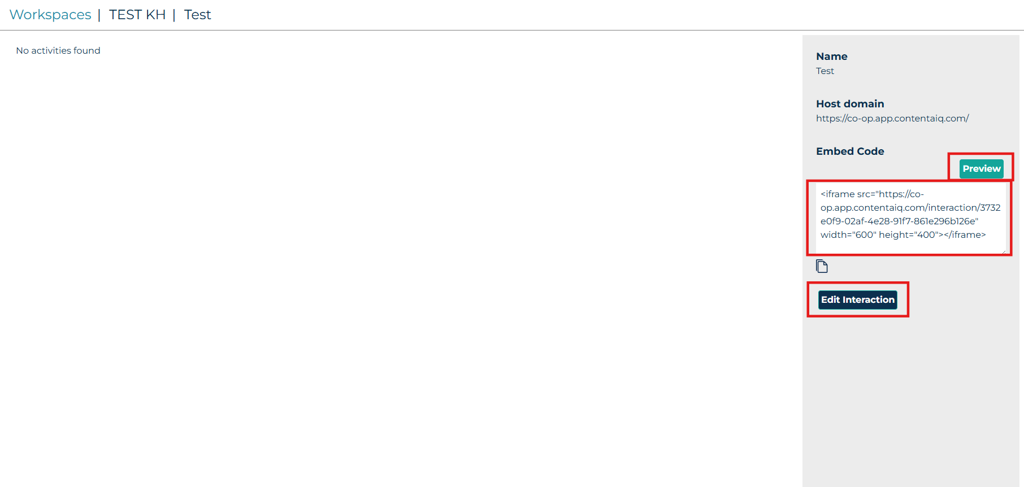
You can preview and test your interaction in Content AIQ using the ‘Preview' button. Once satisfied with its performance, embed the chat into your external systems using the generated iframe code. To edit your interaction, select 'Edit Interaction’ and save your changes.
Was this article helpful?
That’s Great!
Thank you for your feedback
Sorry! We couldn't be helpful
Thank you for your feedback
Feedback sent
We appreciate your effort and will try to fix the article